


Scrcpy vs QtScrcpy: Which Android Mirroring Tool Is Better?
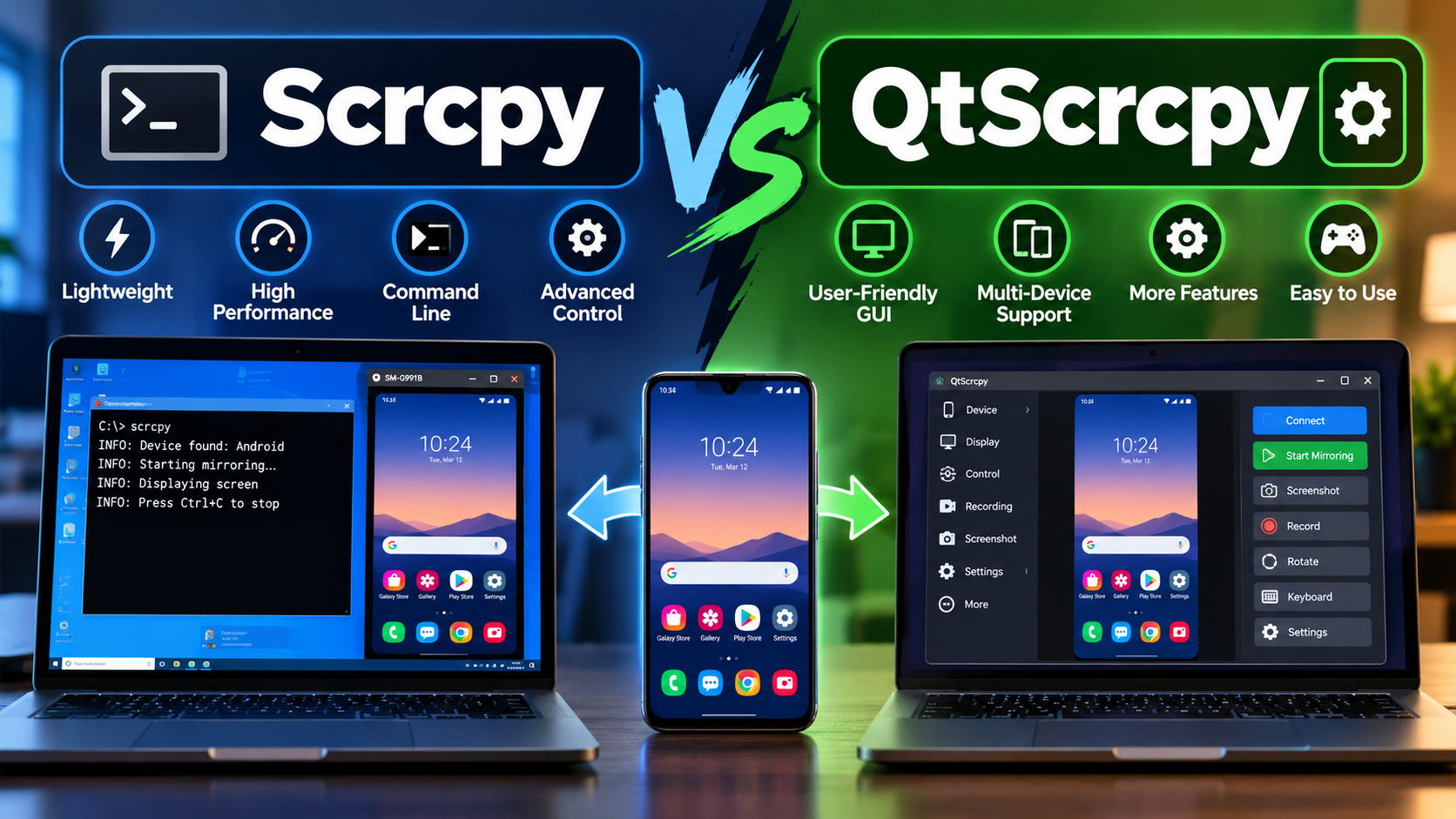
Android screen mirroring has become increasingly useful for people who want to view and control their smartphones from a computer. Whether you are testing an app, recording a tutorial, managing files, playing mobile games, or simply using a larger screen, a reliable Android mirroring tool can make the process much easier. Two popular options in this space are Scrcpy and QtScrcpy. Although they are closely related, they offer a somewhat different experience depending on what users need.
For users trying to decide between these two tools, understanding the differences in interface, performance, features, installation, and usability is important. A detailed comparison of Scrcpy vs QtScrcpy can help users determine which solution is more suitable for their specific Android mirroring requirements. For additional online resources and useful information, you can also explore Haylike .
What Is Scrcpy?
Scrcpy is an open-source Android screen mirroring and control tool that allows users to display their Android device on a Windows, macOS, or Linux computer. One of its biggest advantages is that it does not require a separate application to be installed on the Android phone for basic functionality.
Scrcpy communicates with the Android device through ADB, or Android Debug Bridge. Once the device is connected and USB debugging is enabled, users can mirror the phone screen and interact with it using their computer's mouse and keyboard.
The tool is particularly popular among developers, technical users, and people who prefer lightweight software. It is also known for its low latency and efficient performance.
What Is QtScrcpy?
QtScrcpy is a graphical user interface built around Scrcpy technology. It aims to make Android screen mirroring easier for people who may not be comfortable working with command-line commands.
Instead of entering commands manually, users can access many options through a graphical interface. This makes tasks such as selecting devices, adjusting settings, controlling the mirrored screen, and configuring different options more convenient.
QtScrcpy can therefore be viewed as a more user-friendly approach to Android mirroring while retaining many of the capabilities associated with Scrcpy.
Scrcpy vs QtScrcpy: Main Differences
The biggest difference between Scrcpy and QtScrcpy is the user experience.
Scrcpy is lightweight and command-line oriented. Users who already understand ADB commands can quickly configure it and access advanced options. QtScrcpy, on the other hand, provides a graphical interface that makes many settings easier to find and manage.
For technical users, Scrcpy may feel faster and more flexible. For beginners, QtScrcpy can be easier to understand because most options are available through menus and buttons.
1. User Interface
Scrcpy has a simple and minimal interface. After launching it, the Android screen appears in a desktop window. However, advanced configuration often requires command-line arguments.
QtScrcpy provides a graphical interface, making configuration more straightforward. Users can access various controls without remembering command-line syntax.
Winner for beginners: QtScrcpy.
Winner for advanced users: Scrcpy.
2. Performance
Both tools can provide responsive Android screen mirroring when the computer and Android device are properly configured. Performance can depend on factors such as USB connection quality, Wi-Fi stability, computer hardware, Android device performance, and video encoding settings.
Scrcpy's lightweight design makes it particularly attractive when users want minimal overhead. Since QtScrcpy is built around Scrcpy functionality, it can also deliver a responsive experience while adding the convenience of a GUI.
For users who prioritize simplicity and direct performance, Scrcpy remains a strong choice.
3. Ease of Installation
Scrcpy installation can vary depending on the operating system. Once installed, users may need to configure ADB and enable USB debugging on their Android device.
QtScrcpy can make the process feel easier because its graphical environment presents many options in a more accessible way. However, users still need to meet the basic Android and ADB requirements.
If you are comfortable following technical instructions, Scrcpy is not particularly difficult to set up. Beginners may prefer QtScrcpy because of its visual controls.
4. Customization
One of Scrcpy's major strengths is its extensive command-line configuration. Users can adjust resolution, bitrate, frame rate, recording settings, orientation, window behavior, and other parameters.
This makes Scrcpy especially useful for developers, testers, content creators, and technical users who want precise control.
QtScrcpy can also provide convenient configuration options through its interface. Instead of remembering command-line parameters, users can often adjust settings through the available controls.
For maximum command-line flexibility: Scrcpy.
For easier visual configuration: QtScrcpy.
Which Tool Is Better for Gaming?
Android gaming from a PC is another reason people use screen mirroring software. A responsive connection and low latency are important when controlling games with a mouse or keyboard.
Scrcpy can be useful for this purpose because it is lightweight and offers settings that allow users to optimize the mirrored stream. However, actual gaming performance depends heavily on the Android phone, computer, connection type, and game itself.
QtScrcpy can also be suitable for gaming, particularly for users who want an easier way to configure the mirroring environment.
For serious users who want to fine-tune performance, Scrcpy may offer more control. Casual users may find QtScrcpy more convenient.
Which Tool Is Better for Recording?
Screen recording is another common use case. Users may want to create Android tutorials, demonstrate applications, record troubleshooting processes, or capture mobile gameplay.
Scrcpy supports screen recording functionality and provides options that can be adjusted through commands. This makes it useful for users who want control over recording parameters.
QtScrcpy can simplify access to these functions through its graphical interface, depending on the version and available features.
For professional or technical recording workflows, Scrcpy's configurable nature can be valuable. For quick and convenient recording, QtScrcpy may be easier for less technical users.
Scrcpy or QtScrcpy: Which One Should You Choose?
The right choice ultimately depends on your experience level and requirements.
Choose Scrcpy if you:
- Prefer lightweight software
- Are comfortable with command-line tools
- Want detailed configuration options
- Need control over performance settings
- Work with Android development or testing
- Want a simple and efficient mirroring solution
Choose QtScrcpy if you:
- Prefer a graphical interface
- Are new to command-line tools
- Want easier access to configuration options
- Prefer visual controls
- Frequently switch between different mirroring settings
- Want a more beginner-friendly experience
Final Thoughts
Scrcpy and QtScrcpy are both useful choices for Android screen mirroring and computer-based device control. Scrcpy stands out for its lightweight design, performance, and powerful command-line customization, while QtScrcpy focuses more on convenience through a graphical interface.
Neither option is universally better for every user. If you are technically experienced and want maximum control, Scrcpy may be the better choice. If ease of use and visual configuration are more important, QtScrcpy can be a more comfortable option.
Ultimately, the best tool depends on how you plan to mirror your Android device, how much customization you need, and how comfortable you are with technical configuration.

 Հայերեն
 English
 French
 Русский
 Greek
Greek