


A Guide to Setting Up IPTV on a Samsung or LG Smart TV
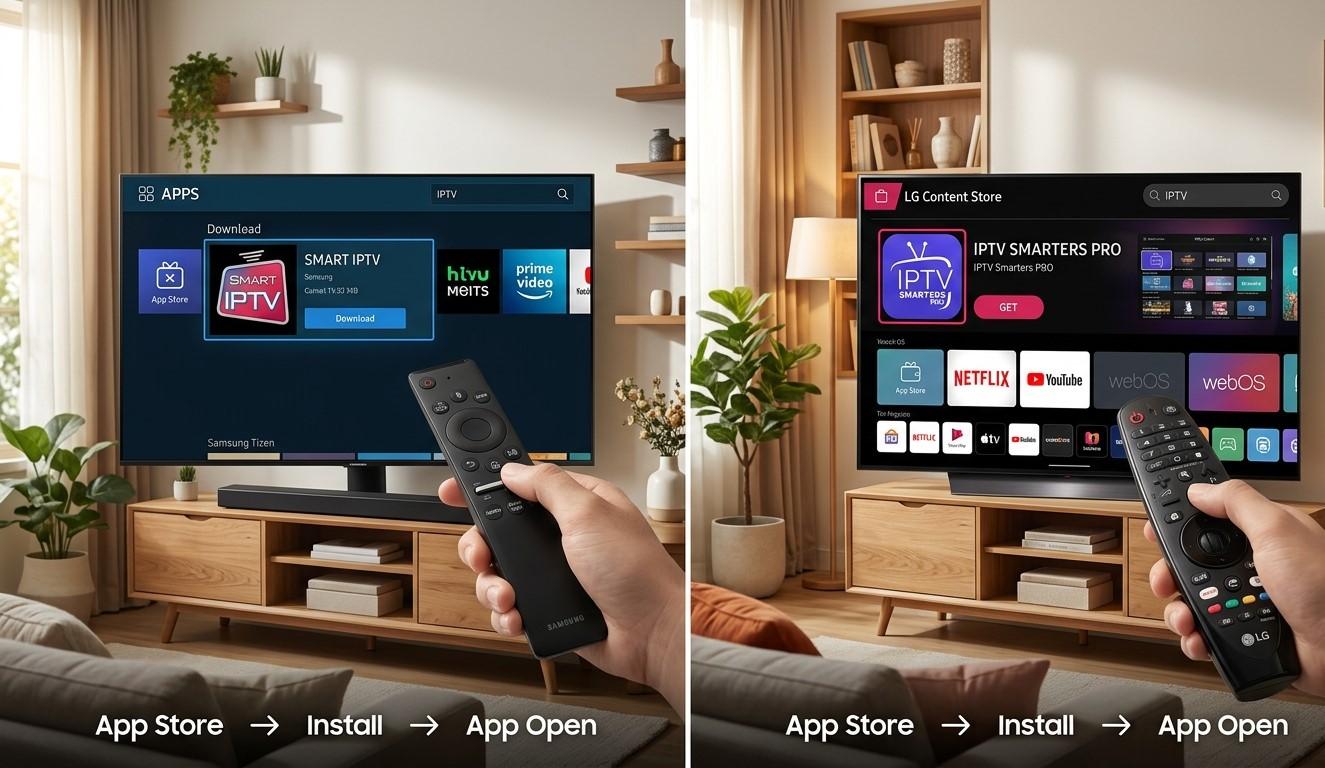
Samsung and LG remain two of the most popular Smart TV brands, and both offer built-in capabilities that make setting up IPTV relatively straightforward. If you already own one of these televisions, you may not need any additional hardware at all. In this guide, we'll walk through how to set up IPTV India on Samsung and LG Smart TVs, and how this compares to using a separate Indian IPTV Box.
Table of Contents
- Can You Install IPTV Directly on Samsung and LG TVs?
- Setting Up IPTV on a Samsung Smart TV
- Setting Up IPTV on an LG Smart TV
- What to Do If Your App Isn't Available in the Store
- Smart TV vs Indian IPTV Box: Which Should You Use?
- Common Setup Issues on Samsung and LG TVs
- FAQs
Can You Install IPTV Directly on Samsung and LG TVs?
Yes, both Samsung and LG Smart TVs come with their own app stores — Samsung's Tizen platform and LG's webOS — which often support IPTV apps directly. This means many users can start streaming IPTV India channels without needing any additional streaming device, as long as a compatible app is available for their specific TV's operating system.
Setting Up IPTV on a Samsung Smart TV
- Turn on your Samsung TV and navigate to the home screen
- Open the Samsung Smart Hub or App Store, depending on your TV's model and software version
- Search for a compatible IPTV app using the store's search function
- Download and install the app onto your TV
- Open the app and locate the option to add your playlist or log in
- Enter your M3U link or subscription credentials as provided by your IPTV provider
- Load your channel list and begin streaming
Setting Up IPTV on an LG Smart TV
- Turn on your LG TV and access the home screen
- Open the LG Content Store, where apps are available for download
- Search for a compatible IPTV app within the store
- Download and install the app on your TV
- Launch the app and find the option to enter your subscription details
- Input your M3U playlist link or login credentials
- Allow the app to load your channels and start watching
The overall process is quite similar between the two brands, though the specific menu names and navigation differ slightly.
What to Do If Your App Isn't Available in the Store
Sometimes a specific IPTV app you want to use isn't available directly through Samsung's or LG's official app stores. In these cases, you have a few options:
- Check for alternative supported apps that may offer similar functionality and are available in your TV's store
- Use a web browser, if your TV includes one, to access a browser-based version of your provider's service, if available
- Consider adding an external device, such as an Indian IPTV Box or Firestick, which may have broader app compatibility than your TV's built-in store
Smart TV vs Indian IPTV Box: Which Should You Use?
| Feature | Samsung/LG Smart TV | Indian IPTV Box |
|---|---|---|
| Extra Hardware Needed | No | Yes |
| App Availability | Limited to store's offerings | Often broader compatibility |
| Setup Simplicity | Generally straightforward | Often pre-configured |
| Performance | Depends on TV's processing power | Frequently optimized for streaming |
If your Samsung or LG TV supports your preferred IPTV app smoothly, there's no need for extra hardware. However, if you run into compatibility issues or want a more optimized streaming experience, a dedicated box remains a solid alternative.
Common Setup Issues on Samsung and LG TVs
- App not found in the store – Try searching with slightly different keywords, or check if a newer/older version is available under a different name
- Buffering during playback – Confirm your internet speed meets the minimum requirements for your streaming quality
- App crashes or freezes – Try restarting your TV, or check if a software update is available for your TV's operating system
- Login issues – Double-check your M3U link or credentials for typos, and confirm your subscription is active
FAQs
1. Do I need extra hardware to use IPTV on a Samsung or LG TV?
Not necessarily, as long as a compatible IPTV app is available through your TV's built-in app store.
2. What should I do if my IPTV app isn't available on my Smart TV?
Consider checking for alternative apps, using a browser-based option if available, or adding an external device like an Indian IPTV Box.
3. Is setup different between Samsung and LG TVs?
The overall process is similar, though the specific app store names and navigation menus differ slightly between Tizen and webOS platforms.
4. Can an older Samsung or LG TV still support IPTV apps?
This depends on the TV's software version and processing power, as older models may have more limited app store options.
5. Should I use my Smart TV or a separate IPTV box for the best experience?
If your TV handles your IPTV app smoothly, no extra hardware is needed; otherwise, a dedicated box can offer broader compatibility and better performance.
Start Streaming Directly on Your Smart TV
Whether you use your Samsung or LG TV's built-in capabilities or pair it with a dedicated Indian IPTV Box, getting started with IPTV India is simple and convenient. Explore our IPTV plans today and start streaming your favorite channels directly from your Smart TV.

 Հայերեն
 French
 Deutsch
 Русский
 Greek